Laravel Performance Optimization: 10 Techniques That Actually Work

Table of Contents
Key Takeaways
- 1Measure first: find the slow query or endpoint before changing code.
- 2N+1 queries are the most common Laravel performance problem; eager load relations.
- 3Cache config, routes, views and events on every production deploy.
- 4Move slow work such as email and PDFs to queues so requests return quickly.
- 5Enable OPcache and use Redis for cache, sessions and queues.
Laravel is fast enough for the overwhelming majority of web applications. When an application feels slow, the cause is almost always in how it is used: too many database queries, work done during the request that could wait, or a production server running without the caches Laravel provides.
These are the ten techniques our Laravel developers reach for first, roughly in order of impact.
1. Measure before you optimise
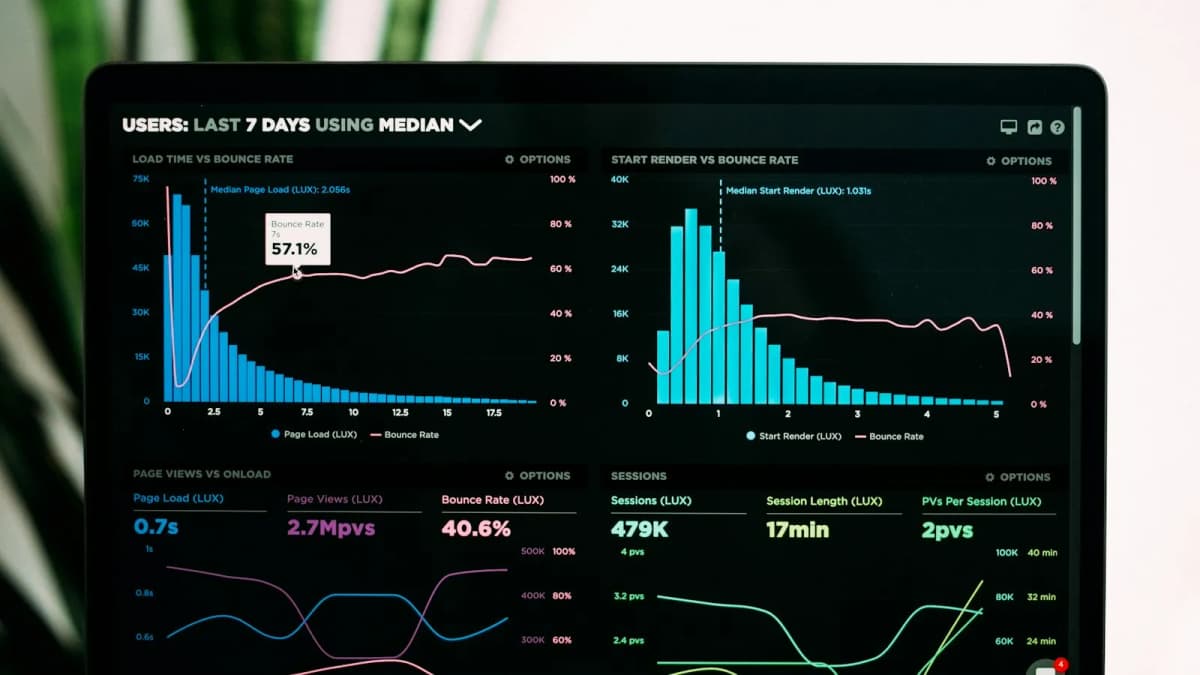
Guessing wastes time. Install Laravel Telescope or Debugbar locally to see every query, its duration and how many times it ran. In production, use your APM tool or the database's slow query log. Fix the slowest thing first.
2. Eliminate N+1 queries
The single most common problem. Looping over models and touching a relationship runs one extra query per row:
// 1 query for orders + 1 query per order for its customer
$orders = Order::latest()->take(50)->get();
foreach ($orders as $order) {
    echo $order->customer->name;
}

// 2 queries in total
$orders = Order::with('customer')->latest()->take(50)->get();
Add Model::preventLazyLoading(! app()->isProduction()); to a service provider and Laravel will throw an exception whenever a relation is lazy-loaded in development.
3. Select only the columns you need
select('id', 'name', 'email') on a wide table reduces memory and transfer time, especially when large text or JSON columns are involved. For counts and sums, use withCount() and aggregate queries instead of loading models to count them in PHP.
4. Index the columns you filter and sort on
Every column that appears in a where, orderBy or join on a large table should be considered for an index. Composite indexes should follow the order of your most common query.
Schema::table('orders', function (Blueprint $table) {
    $table->index(['customer_id', 'created_at']);
});
5. Process large datasets in chunks
Loading 200,000 rows with get() will exhaust memory. Use chunkById() for batch jobs or lazy() to stream results one model at a time.
6. Cache config, routes, views and events
Run these on every production deploy. They replace dozens of file reads per request with a few cached files:
php artisan config:cache
php artisan route:cache
php artisan view:cache
php artisan event:cache
composer install --no-dev --optimize-autoloader
Remember that after config:cache, env() returns null outside config files, so always read settings through config().
7. Cache expensive results
Data that changes rarely but is read constantly (settings, menus, dashboard totals) belongs in the cache:
$stats = Cache::remember('dashboard.stats', now()->addMinutes(10), fn () => [
    'orders' => Order::count(),
    'revenue' => Order::sum('total'),
]);
Clear or version the key when the underlying data changes so users never see stale numbers for long.
8. Move slow work to queues
Sending email, generating PDFs, calling third-party APIs and resizing images should not happen while the user waits. Dispatch a job and return immediately; a queue worker does the rest. Queued jobs also retry automatically when an external service has a temporary failure.
9. Use Redis for cache, sessions and queues
The file and database drivers are fine for development. In production, Redis is faster and handles concurrent access properly. Set CACHE_STORE, SESSION_DRIVER and QUEUE_CONNECTION to redis.
10. Tune the server: OPcache and PHP-FPM
OPcache stores compiled PHP in memory so files are not parsed on every request; it is often the single biggest server-side win. Size the PHP-FPM worker pool to your server's memory, and run a current PHP version, as each release brings measurable speed improvements.
Summary
| Problem | Fix |
|---|---|
| Hundreds of queries per page | Eager loading with with() |
| Slow filtered lists | Database indexes |
| Slow first byte on every request | Framework caches and OPcache |
| Slow form submissions | Queued jobs |
Start with measurement, fix queries, then caching, then infrastructure. If your Laravel application needs a performance review, get in touch.
Frequently Asked Questions
Is Laravel slow compared with other PHP frameworks?
No. Laravel adds very little overhead on a properly configured server. Most slow Laravel applications are slow because of database queries, missing caches or work done inside the request that belongs in a queue.
When should I use Laravel Octane?
Octane keeps the application in memory between requests and helps high-traffic APIs. Fix your queries and caching first; Octane amplifies a well-built app but does not fix a slow database.
How do I find slow queries?
Use Laravel Telescope or Debugbar in development, and enable your database's slow query log in production. Model::preventLazyLoading() also surfaces N+1 queries while you develop.