Why Businesses Need Mobile Apps: Benefits and Practical Use Cases
Key Takeaways
- 1Websites support online discovery, while mobile apps provide a dedicated experience for regular users.
- 2Mobile apps can use device features such as GPS, cameras, biometric authentication, and push notifications.
- 3Apps make frequently used services easier to access through home-screen shortcuts and saved preferences.
- 4Businesses use mobile apps for customer engagement, service delivery, internal operations, and real-time updates.
- 5An app makes sense when it offers meaningful value beyond what a website already provides.
1. Why Do Businesses Need Mobile Apps?
Customers increasingly expect convenient digital services they can access whenever they need them. A website is often the first place they visit to learn about a business, explore its offerings, or make an inquiry. However, businesses that serve customers regularly may need something more dedicated.
A mobile app provides an installed experience designed around repeated interactions. Customers can open it directly from their home screen, receive app notifications, save preferences, and use supported device features without repeatedly navigating through a browser.
For businesses, this creates opportunities to improve customer engagement, simplify services, and build stronger relationships with existing users.
However, not every business needs an app. The decision should depend on whether a dedicated mobile experience solves a real customer or operational need
2. Mobile App vs. Website: What's the Difference?
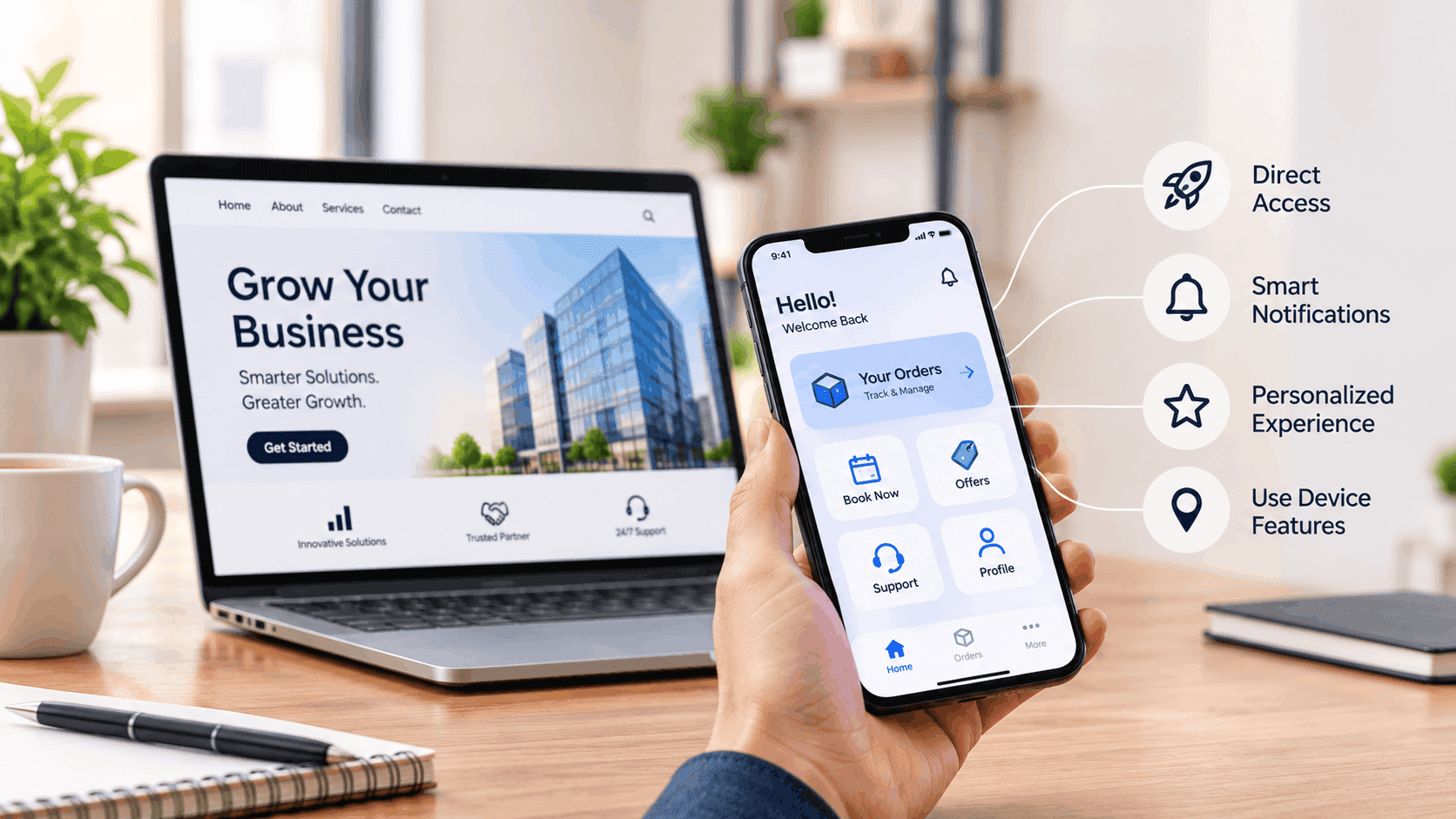
Websites and mobile apps serve different purposes. A website makes information and services accessible through a browser, while a mobile app provides an installed experience with additional access to supported device capabilities.
Area | Website | Mobile App |
Access | Open through a browser | Installed on a smartphone |
Discovery | Can appear in search engine results | Usually discovered through app stores or other channels |
User experience | Designed for browser-based access | Designed for dedicated mobile interactions |
Notifications | Browser notifications may be supported | App push notifications |
Device features | Access depends on browser support and permissions | Can integrate with supported device features |
Offline access | Limited, depending on implementation | Can support selected offline features |
Best suited for | Information, discovery, inquiries, and online services | Frequent use, personalized experiences, and mobile-specific workflows |
The main difference is not that websites cannot offer advanced functionality. Modern websites can support many interactive features too. The value of a mobile app comes from providing a more direct, integrated, and convenient experience for users who interact with a business frequently.
3. Key Benefits of Mobile Apps for Businesses
1. Easier access for regular customers
An app gives customers a direct way to access frequently used services. Instead of opening a browser and finding the website again, they can launch the app from their home screen.
2. Better customer engagement
Businesses can use app push notifications to share order updates, appointment reminders, new offers, and important information. With appropriate user permissions and notification preferences, these messages can reach customers even when they are not actively using the app.
3. More personalized experiences
Apps can save user preferences, account details, and activity history to make future interactions more convenient. For example, a shopping app can show relevant recommendations, while a service app can provide access to previous bookings.
4. Integration with mobile device features
Depending on permissions and platform support, apps can use features such as GPS, cameras, biometric authentication, Bluetooth, and device storage. These capabilities are useful when a service depends on a customer's location, identity, or device.
5. Support for everyday operations
Mobile apps are not limited to customer-facing services. Businesses can also build apps for employees, field teams, delivery staff, and service professionals to manage tasks, update records, access information, and communicate while working.
4. Practical Mobile App Use Cases Across Industries
Mobile applications can support different business requirements depending on how customers and employees interact with a service.
E-commerce: Shopping apps let customers browse products, save favourites, track orders, receive updates, and manage purchases.
Healthcare: Patient apps can support appointment scheduling, reminders, access to reports, and communication with healthcare providers.
Logistics: Delivery and fleet apps can help drivers access routes, update delivery status, capture proof of delivery, and share location information.
Education: Learning apps provide access to lessons, assessments, progress tracking, and selected offline learning materials.
Service businesses: Apps can simplify appointment bookings, service requests, payments, and communication between customers and service teams.
These examples show how an app can become part of a business's regular service delivery rather than simply another digital presence.
5. When Should a Business Build a Mobile App?
A mobile app is worth considering when customers or employees need to use a service frequently or when mobile-specific functionality can improve the experience.
Some common signs include:
Customers regularly return to your website to access the same services.
You need to send timely updates and reminders.
Your service depends on location, camera access, or other device capabilities.
Customers need access to selected features without an internet connection.
Employees or field teams need mobile access to business workflows.
You want to offer personalized services based on user accounts and preferences.
If customers mainly visit your business to read information, explore services, or submit occasional inquiries, a well-designed website may be sufficient.
6. Should Your Business Have Both a Website and a Mobile App?
For many businesses, a website and a mobile app work best together.
A website helps attract new customers through search engines, provides detailed information, and makes services accessible without requiring installation. A mobile app serves customers who already use the business regularly and need faster access to specific features.
For example, an online retailer can use its website to attract shoppers through search results while its mobile app supports repeat purchases, order tracking, saved preferences, and notifications.
Both platforms can connect to the same backend and APIs, allowing businesses to manage users, products, bookings, and other information through a shared system.
7. What Should Businesses Consider Before Developing an App?
Before starting development, businesses should identify the purpose of the app and the problems it needs to solve.
Consider these key areas:
Target users: Understand who will use the app and how frequently they need it.
Core features: Prioritize features that improve the user experience instead of adding unnecessary functionality.
Platform selection: Decide whether you need Android, iOS, or both.
Integrations: Identify required connections with payment gateways, CRM systems, APIs, or existing business software.
Security and maintenance: Plan for user data protection, regular updates, performance, and ongoing improvements.
A clear plan helps ensure the application supports actual business requirements.
8. How to Build a Mobile App for Your Business
A structured development process helps turn an idea into a practical application.
Requirement analysis: Define business objectives, target users, and essential features.
UI/UX design: Plan the app structure and create user-friendly screens.
Development: Build the application using suitable native or cross-platform technologies.
Testing: Check functionality, performance, compatibility, and security.
Launch and maintenance: Publish the app, monitor its performance, and improve it based on user feedback.
The application should continue evolving as customer expectations and business requirements change.
Conclusion
A mobile app can help businesses provide more convenient services, improve customer engagement, and support everyday operations. However, building an app should be driven by a clear business requirement rather than simply having another digital platform.
The right approach is to understand what your customers need, identify where a dedicated mobile experience adds value, and build features around those requirements.
At Vivansh Infotech, we help businesses develop custom Android and iOS applications, from UI/UX design and development to integrations and ongoing maintenance. Whether you are building a new mobile product or extending an existing web platform, we can help turn your requirements into a practical mobile solution.
Frequently Asked Questions
Why does a business need a mobile app?
A mobile app can provide customers with easier access to services, personalized experiences, push notifications, and features that use smartphone capabilities.
Is a mobile app better than a website?
Neither is universally better. Websites are useful for online discovery and browser-based access, while apps are better suited to frequent interactions and dedicated mobile experiences.
Can a mobile app work without an internet connection?
Yes. Developers can build selected offline features, such as saved information or locally stored content. However, features that require live data or server communication still need an internet connection.
Should a small business develop a mobile app?
A small business can benefit from an app if customers regularly use its services or need features such as bookings, order tracking, loyalty programs, or real-time updates. Otherwise, a website may be a better starting point.
Can one mobile app work on both Android and iOS?
Yes. Cross-platform frameworks such as React Native and Flutter allow developers to build applications for both platforms using a shared codebase, while still supporting platform-specific functionality where needed.